> ## Documentation Index
> Fetch the complete documentation index at: https://cometchat-22654f5b-docs-android-v6-6-0-5.mintlify.site/llms.txt
> Use this file to discover all available pages before exploring further.

# Multi Tab Chat UI Guide

> Multi Tab Chat UI Guide — CometChat integration guide.

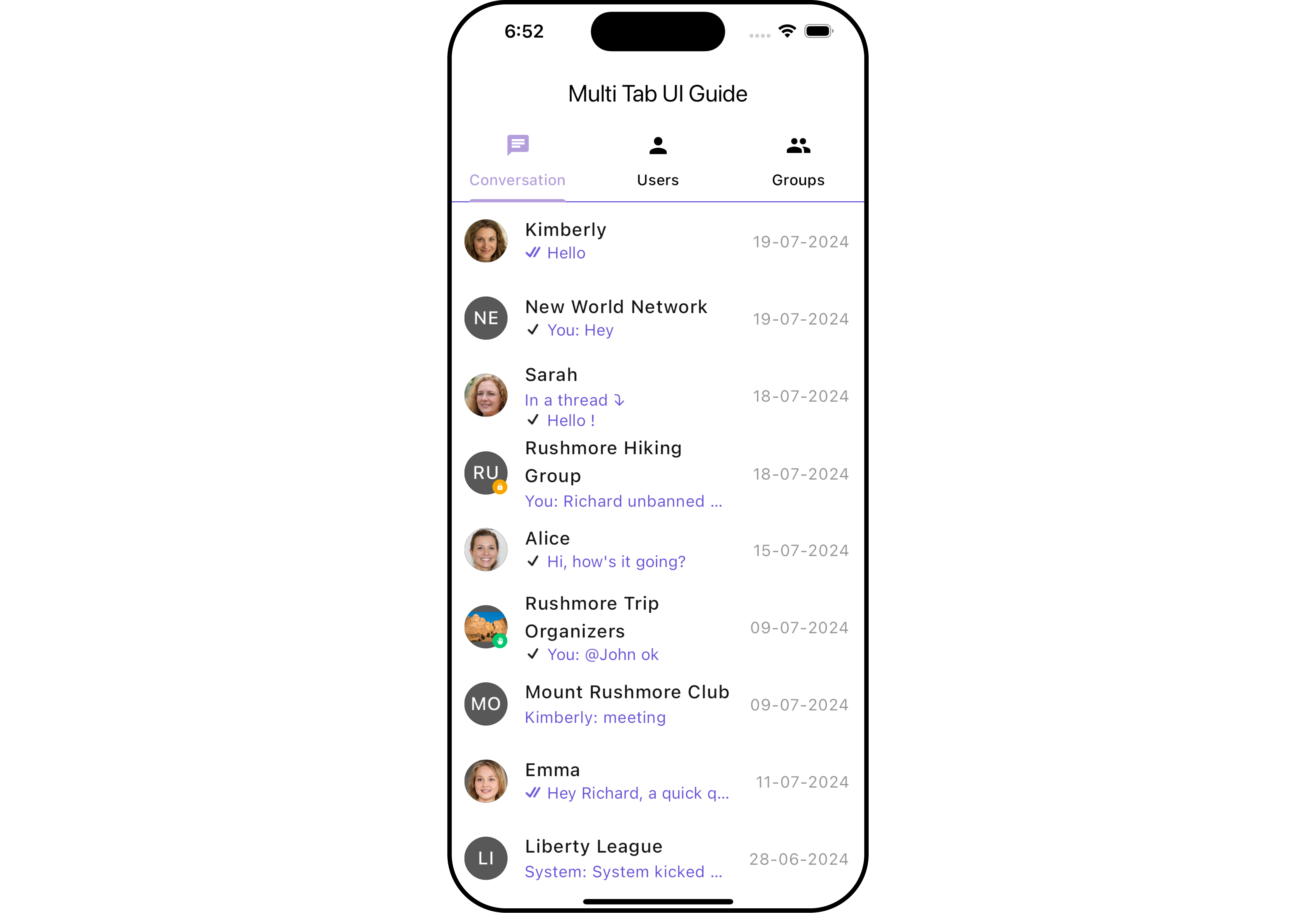
This guide will help you create a multi-tab chat user interface using the cometchat\_chat\_uikit package in Flutter. The final UI will consist of three tabs: Conversations, Users, and Groups.
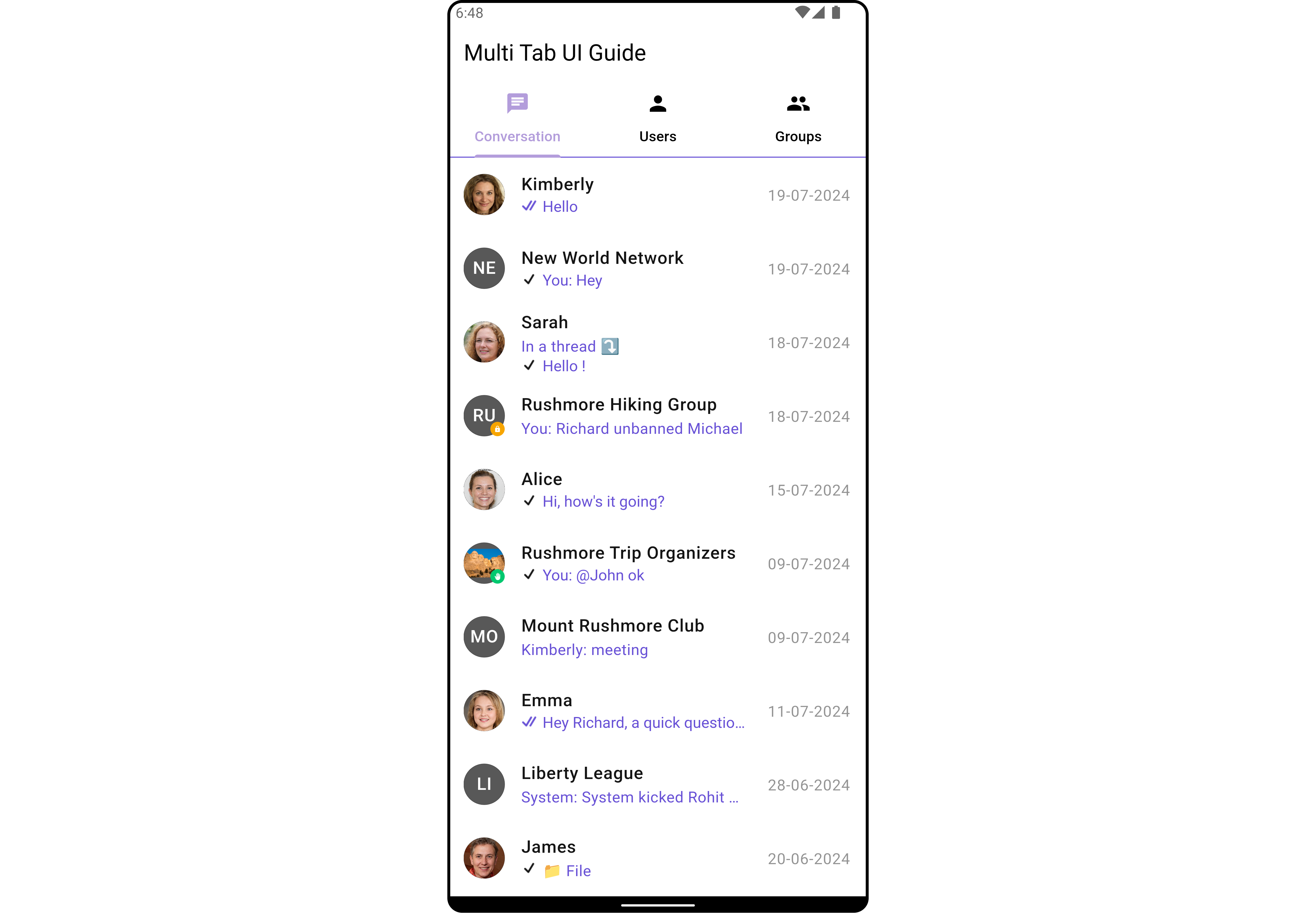
<Tabs>
  <Tab title="Android (Overview)">
    <img src="https://mintcdn.com/cometchat-22654f5b-docs-android-v6-6-0-5/3NRSNY0qVjJmhYQw/images/0f009c9e-multi_tab_chat_ui_guide_overview_cometchat_screens-f96decee1c0855206526aa24e9ade1bd.png?fit=max&auto=format&n=3NRSNY0qVjJmhYQw&q=85&s=9f126aeb493973f0c174534ebcdb74c4" alt="Image" width="4498" height="3121" data-path="images/0f009c9e-multi_tab_chat_ui_guide_overview_cometchat_screens-f96decee1c0855206526aa24e9ade1bd.png" />
  </Tab>

  <Tab title="Android (Conversations)">
    <img src="https://mintcdn.com/cometchat-22654f5b-docs-android-v6-6-0-5/U4QNraBPRNfYxjh1/images/57040405-multi_tab_chat_ui_guide_chat_cometchat_screens-7e1a444deabe0e7aad3aef7f16fe7f94.png?fit=max&auto=format&n=U4QNraBPRNfYxjh1&q=85&s=333fcfcafd3854902256dda4677da385" alt="Image" width="4498" height="3121" data-path="images/57040405-multi_tab_chat_ui_guide_chat_cometchat_screens-7e1a444deabe0e7aad3aef7f16fe7f94.png" />
  </Tab>

  <Tab title="Android (Users)">
    <img src="https://mintcdn.com/cometchat-22654f5b-docs-android-v6-6-0-5/b5xMJSglyUPqkNQu/images/9b672942-multi_tab_chat_ui_guide_user_cometchat_screens-5eec8f08a8fba44e2d8c900c0ce719e4.png?fit=max&auto=format&n=b5xMJSglyUPqkNQu&q=85&s=9be2888e1b6ddc502fcd9950b5d1ca4c" alt="Image" width="4498" height="3121" data-path="images/9b672942-multi_tab_chat_ui_guide_user_cometchat_screens-5eec8f08a8fba44e2d8c900c0ce719e4.png" />
  </Tab>

  <Tab title="Android (Groups)">
    <img src="https://mintcdn.com/cometchat-22654f5b-docs-android-v6-6-0-5/MHTBiSP1VLgI2dV5/images/733a1427-multi_tab_chat_ui_guide_group_cometchat_screens-8b085f56f8edcfee8a5d681a0a3f0e5f.png?fit=max&auto=format&n=MHTBiSP1VLgI2dV5&q=85&s=d2bd3068af7e833ae742bf01a76ebd01" alt="Image" width="4498" height="3121" data-path="images/733a1427-multi_tab_chat_ui_guide_group_cometchat_screens-8b085f56f8edcfee8a5d681a0a3f0e5f.png" />
  </Tab>
</Tabs>

<Tabs>
  <Tab title="iOS (Overview)">
    <img src="https://mintcdn.com/cometchat-22654f5b-docs-android-v6-6-0-5/b_eqmHVZZutV7kAS/images/3a207066-multi_tab_chat_ui_guide_overview_cometchat_screens-7781f14bb2a16c18336fedd60f737e6e.png?fit=max&auto=format&n=b_eqmHVZZutV7kAS&q=85&s=a744f7894df4af6e22d205b559581a41" alt="Image" width="4498" height="3121" data-path="images/3a207066-multi_tab_chat_ui_guide_overview_cometchat_screens-7781f14bb2a16c18336fedd60f737e6e.png" />
  </Tab>

  <Tab title="iOS (Conversations)">
    <img src="https://mintcdn.com/cometchat-22654f5b-docs-android-v6-6-0-5/v4b18zESvw4mBJV6/images/b7998116-multi_tab_chat_ui_guide_chat_cometchat_screens-a0b8e311f8a7c74cbcbfa05c5905fb87.png?fit=max&auto=format&n=v4b18zESvw4mBJV6&q=85&s=e8c8fb60ab5b1e2ccf0ad4dffaba2cc9" alt="Image" width="4498" height="3121" data-path="images/b7998116-multi_tab_chat_ui_guide_chat_cometchat_screens-a0b8e311f8a7c74cbcbfa05c5905fb87.png" />
  </Tab>

  <Tab title="iOS (Users)">
    <img src="https://mintcdn.com/cometchat-22654f5b-docs-android-v6-6-0-5/ILTq_2VE6kCQoTih/images/8a616a6a-multi_tab_chat_ui_guide_user_cometchat_screens-5bddf6dbc1719b0ea6cdb3b1ac0d1eeb.png?fit=max&auto=format&n=ILTq_2VE6kCQoTih&q=85&s=f8e6e0827e4ff37b9e84a014ee361d18" alt="Image" width="4498" height="3121" data-path="images/8a616a6a-multi_tab_chat_ui_guide_user_cometchat_screens-5bddf6dbc1719b0ea6cdb3b1ac0d1eeb.png" />
  </Tab>

  <Tab title="iOS (Groups)">
    <img src="https://mintcdn.com/cometchat-22654f5b-docs-android-v6-6-0-5/ib1i3OCgSgFa6nzv/images/1782c8d2-multi_tab_chat_ui_guide_group_cometchat_screens-1ed846f9ce071fc672379406ad5ebaaf.png?fit=max&auto=format&n=ib1i3OCgSgFa6nzv&q=85&s=2ce09e728daa92167fe41c41c7961113" alt="Image" width="4498" height="3121" data-path="images/1782c8d2-multi_tab_chat_ui_guide_group_cometchat_screens-1ed846f9ce071fc672379406ad5ebaaf.png" />
  </Tab>
</Tabs>

##### Create the Multi-Tab Chat UI:

Update your `lib/multi_tab_chat_ui_guid.dart` file with the following code:

<Tabs>
  <Tab title="Dart">
    ```dart theme={null}
    import 'package:cometchat_chat_uikit/cometchat_chat_uikit.dart';
    import 'package:flutter/material.dart';

    class MultiTabUIGuideExample extends StatefulWidget {
      const MultiTabUIGuideExample({super.key});

      @override
      State<MultiTabUIGuideExample> createState() => _MultiTabUIGuideExampleState();
    }

    class _MultiTabUIGuideExampleState extends State<MultiTabUIGuideExample> {

      @override
      Widget build(BuildContext context) {
        return DefaultTabController(
          length: 3,
          child: Scaffold(
            appBar: AppBar(
              title: const Text('Multi Tab UI Guide'),
              backgroundColor: Colors.white,
              leading: null,
              automaticallyImplyLeading: false,
              bottom: const TabBar(
                tabs: [
                  Tab(icon: Icon(Icons.chat), text: 'Conversation'),
                  Tab(icon: Icon(Icons.person), text: 'Users'),
                  Tab(icon: Icon(Icons.group), text: 'Groups'),
                ],
              ),
            ),
            body: const TabBarView(
              children: [
                CometChatConversationsWithMessages(
                    conversationsConfiguration: ConversationsConfiguration(
                        hideAppbar: true
                    )
                ),
                CometChatUsersWithMessages(
                    usersConfiguration: UsersConfiguration(
                        hideAppbar: true,
                        hideSearch: true
                    )
                ),
                CometChatGroupsWithMessages(
                    groupsConfiguration: GroupsConfiguration(
                        hideAppbar: true,
                        hideSearch: true
                    )
                ),
              ],
            ),
          ),
        );
      }
    }
    ```
  </Tab>
</Tabs>